Configure IAM for CodeBuild
For AWS CodeBuild to function fully during the build and deploy process, we need to configure a Policy with the minimum necessary permissions. Specifically, this policy will allow:
- Login to Amazon ECR to push images.
Access secrets stored in AWS Secrets Manager.
{
"Version": "2012-10-17",
"Statement": [
{
  "Sid": "AllowECRLogin",
  "Effect": "Allow",
  "Action": "ecr:GetAuthorizationToken",
  "Resource": "*"
},
{
  "Sid": "ECRPushImage",
  "Effect": "Allow",
  "Action": [
    "ecr:BatchCheckLayerAvailability",
    "ecr:CompleteLayerUpload",
    "ecr:InitiateLayerUpload",
    "ecr:PutImage",
    "ecr:UploadLayerPart"
  ],
  "Resource": "arn:aws:ecr:ap-southeast-1:<ACCOUNT_ID>:repository/shopnow/shopnow-*"
},
{
  "Sid": "SecretsAccess",
  "Effect": "Allow",
  "Action": "secretsmanager:GetSecretValue",
  "Resource": "arn:aws:secretsmanager:ap-southeast-1:<ACCOUNT_ID>:secret:workshop-2-shopnow*"
}
]
}
Explanation of permissions:
AllowECRLogin: Allows CodeBuild to execute the aws ecr get-login-password command to login to Amazon ECR. Note:
ecr:GetAuthorizationTokenis a global action, must use"Resource": "*"— cannot be limited by repository.ECRPushImage: Allows pushing Docker images to specific ECR repositories. Includes necessary permissions to upload layers and write metadata for images.
SecretsAccess: Grants permission to retrieve secrets from AWS Secrets Manager. This allows CodeBuild to get information such as GitHub tokens, SonarQube tokens… stored under names starting with workshop-2-shopnow.
After assigning this Policy to the CodeBuild IAM Role, you can deploy the entire build + push image + update Helm configuration pipeline automatically and securely.
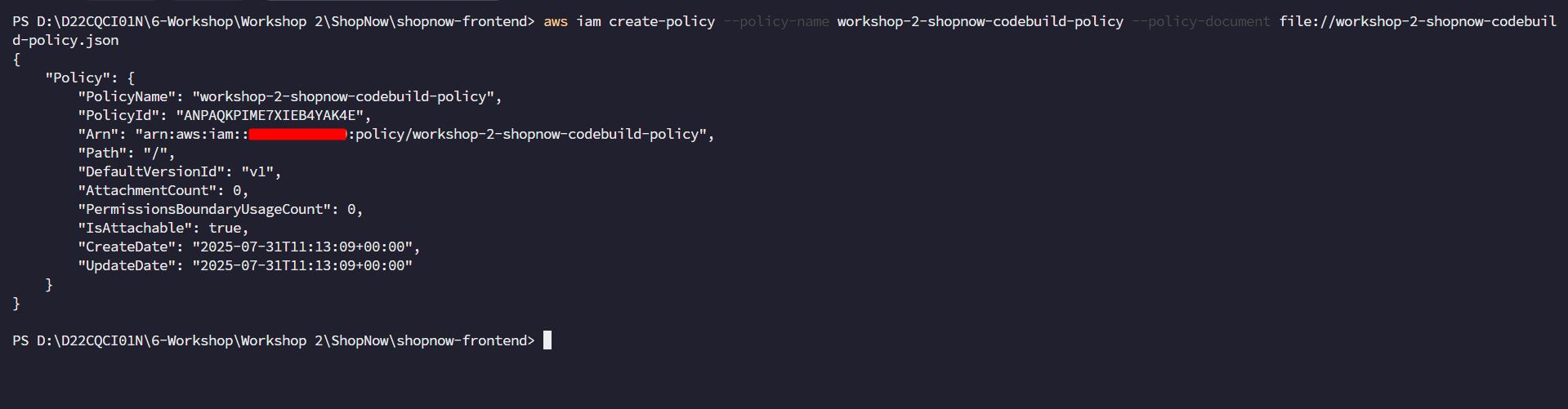
Create a Policy named workshop-2-shopnow-codebuild-policy and add the permissions as in the code above.
aws iam create-policy --policy-name workshop-2-shopnow-codebuild-policy --policy-document file://workshop-2-shopnow-codebuild-policy.json