Create Secret Key
Github Secret Key
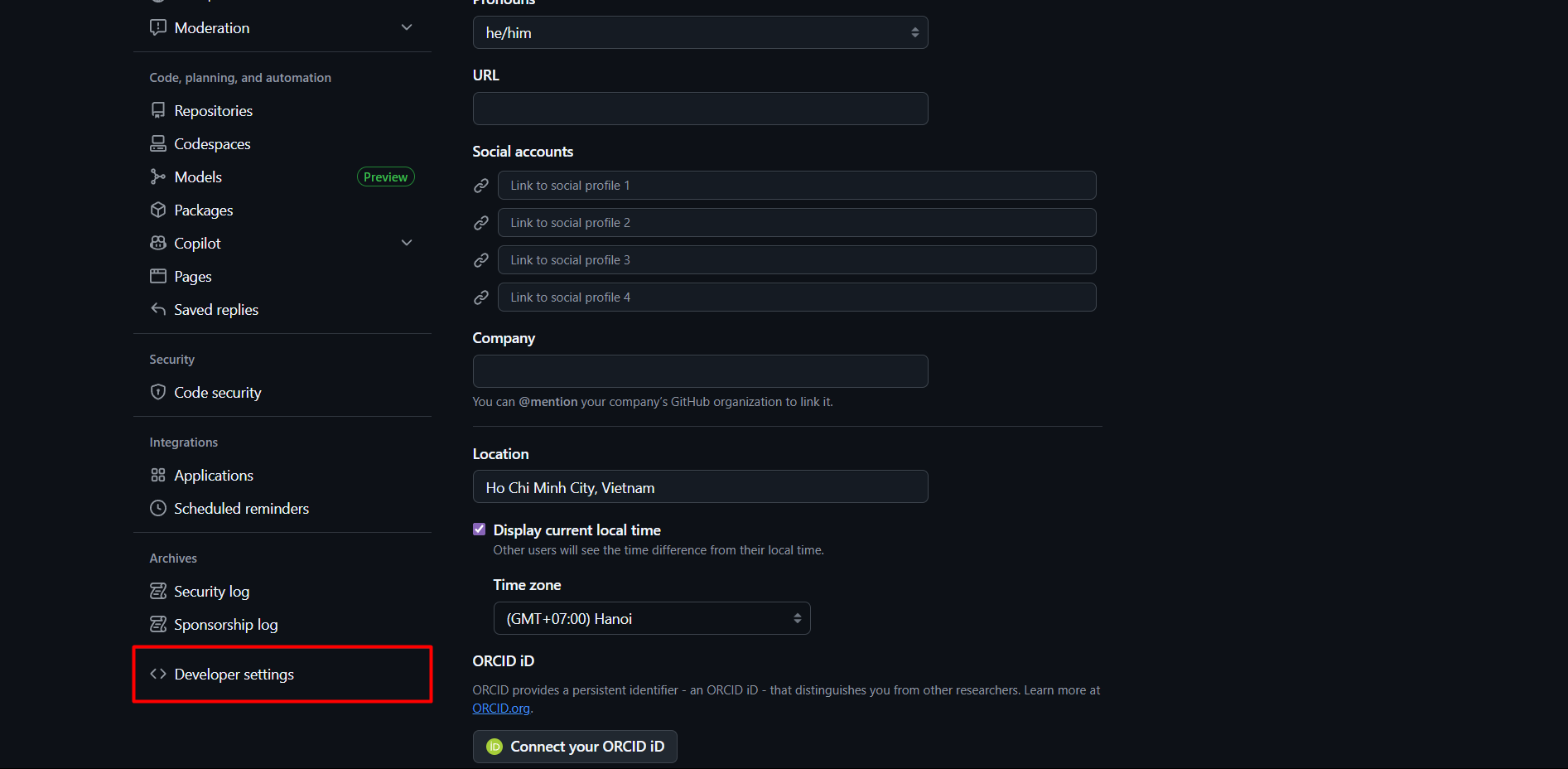
Access Github Settings at https://github.com/settings/profile and select Developer settings.
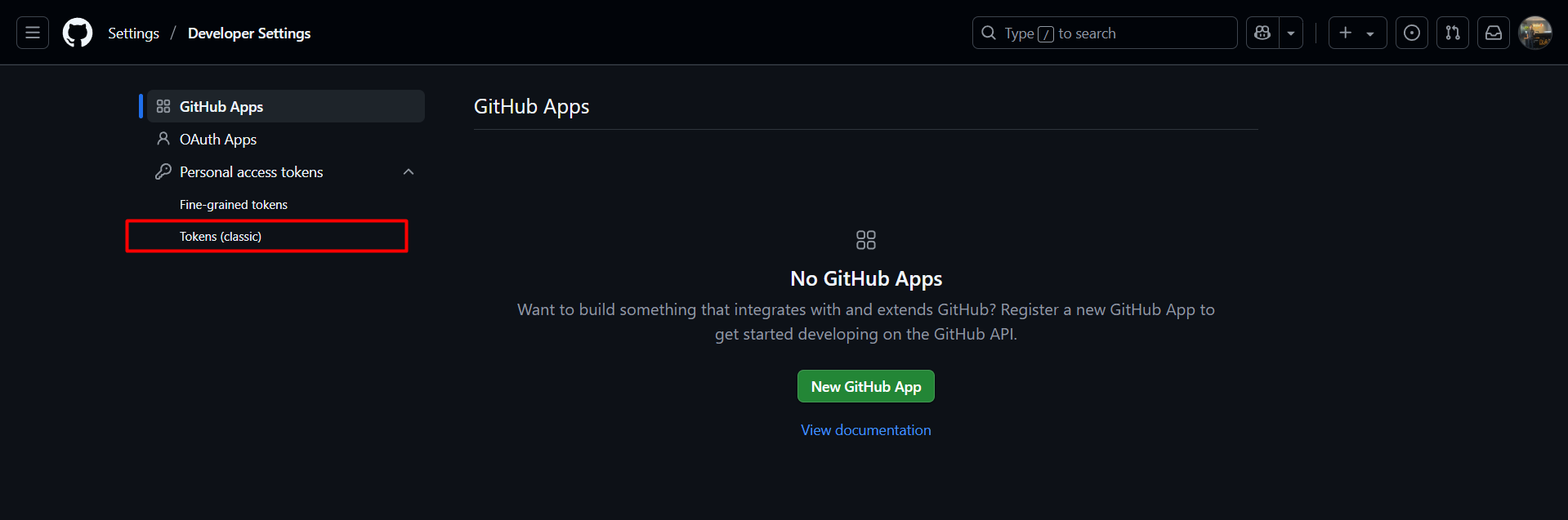
Select Personal access tokens -> Tokens (classic)
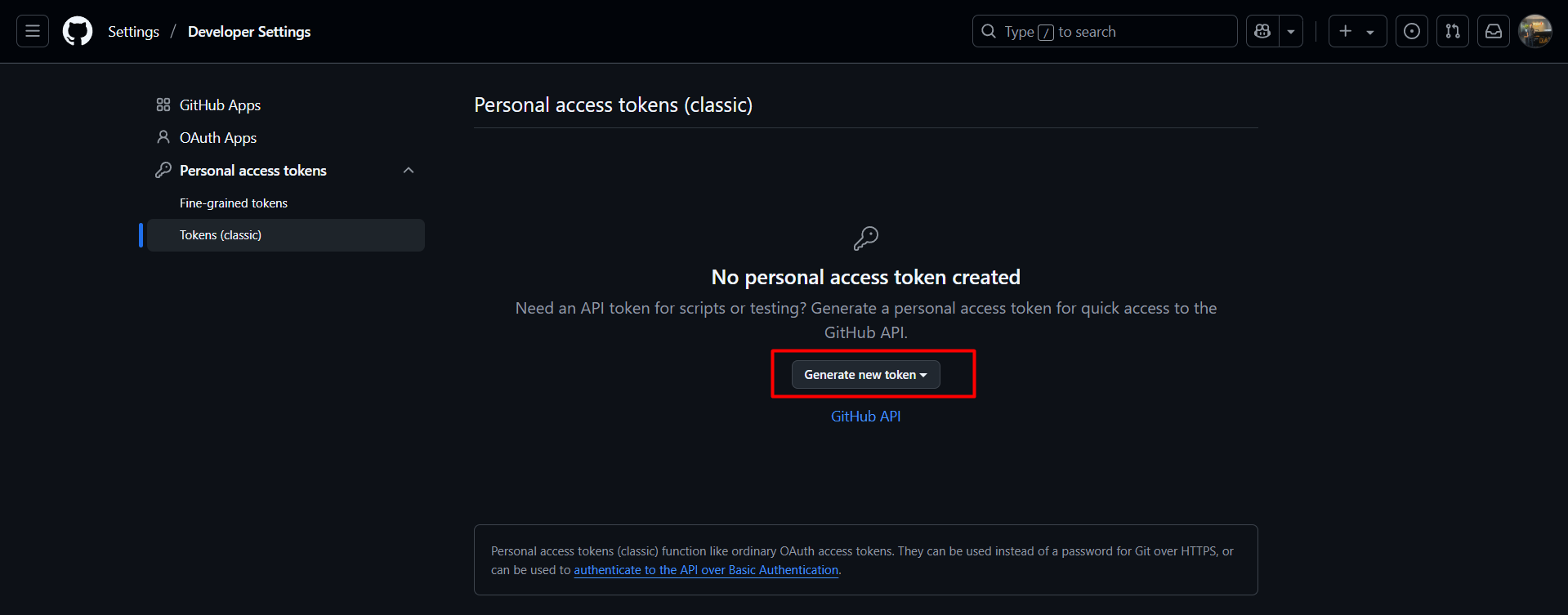
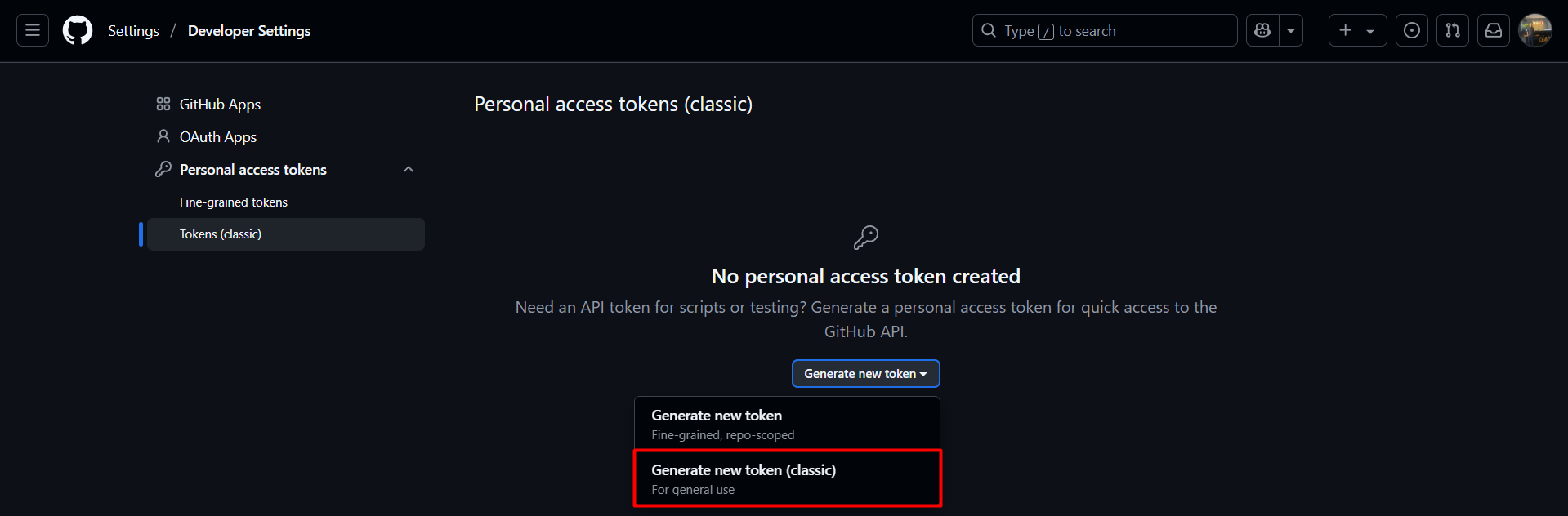
Then Github will ask us to login

Configure as shown in the image below. Since CodeBuild only needs permission to commit to the repository, configuring repo permissions is sufficient.
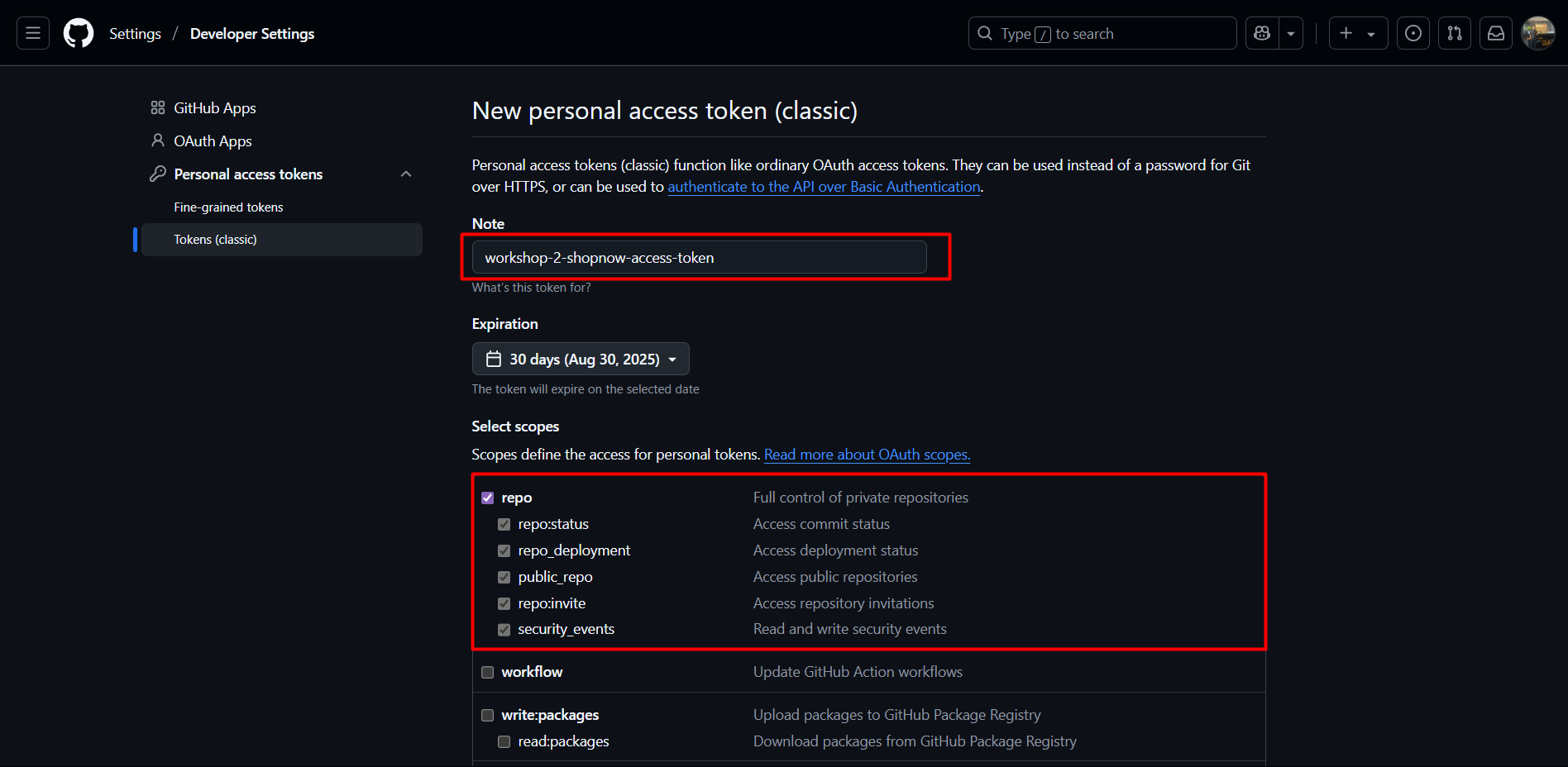
Next, select Generate token to create a new token.
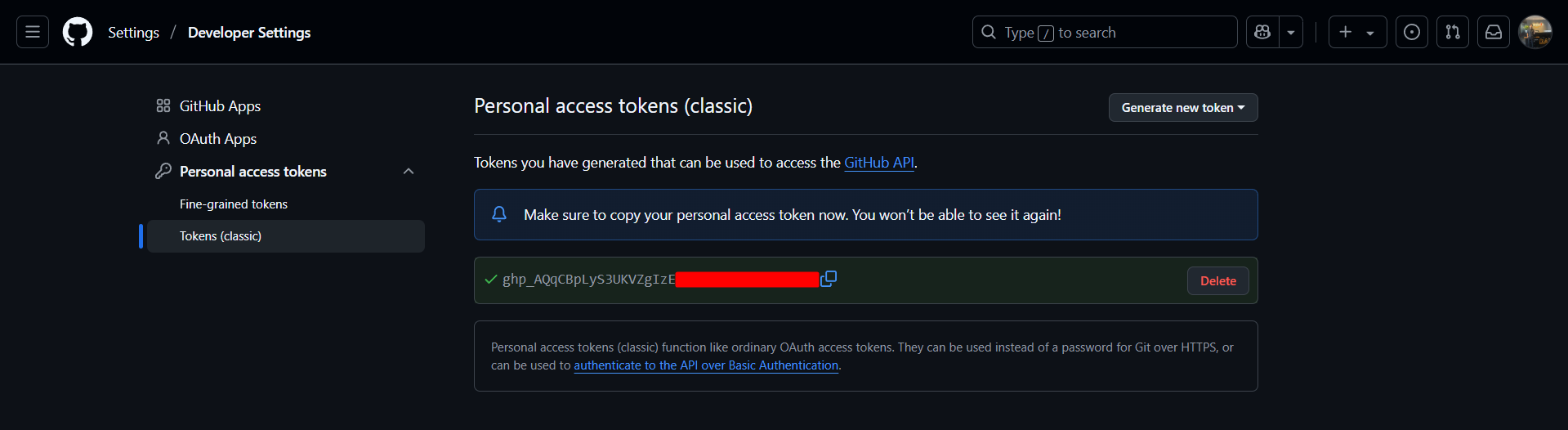
After creating a new token, Github will display the new token. We need to note to save this token because it cannot be displayed again later.
Next, we proceed to save the Github Token to Secrets Manager. Access AWS and find the Secrets Manager service.
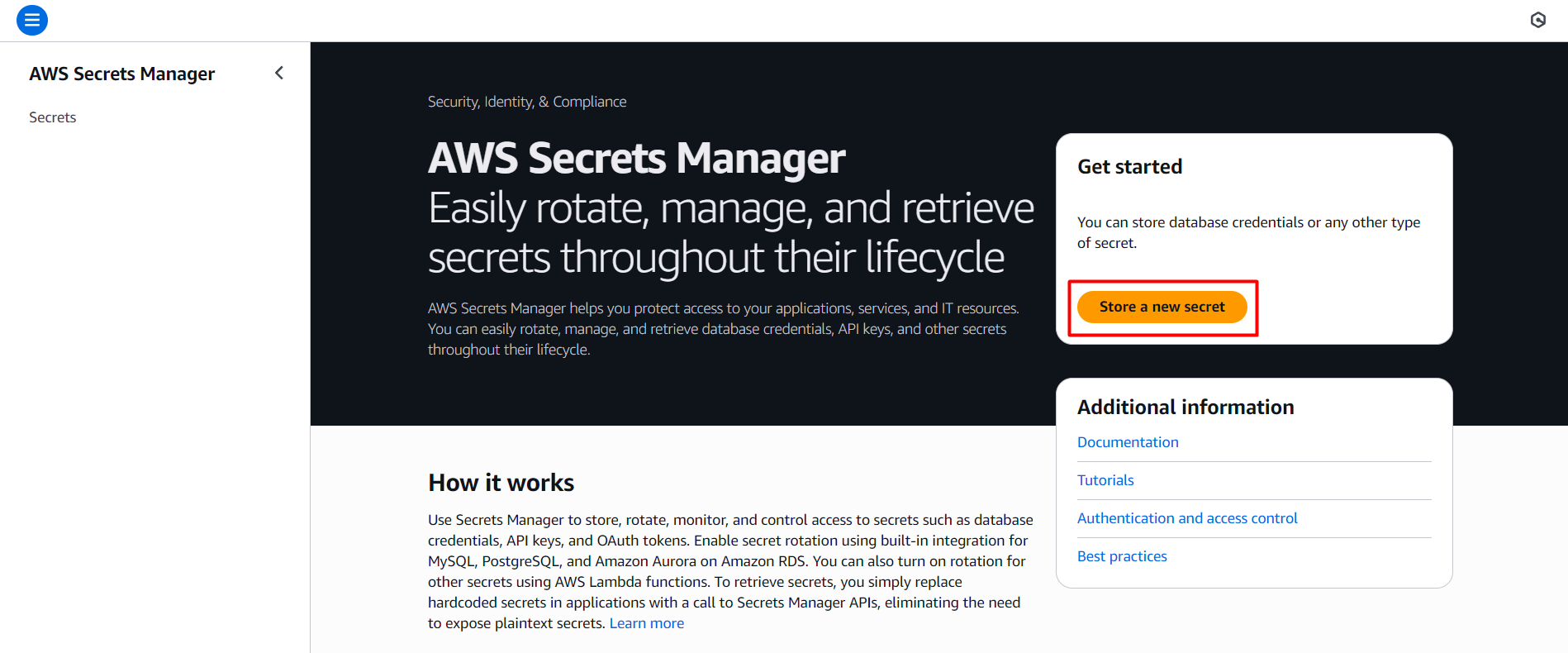
Select Store a new secret
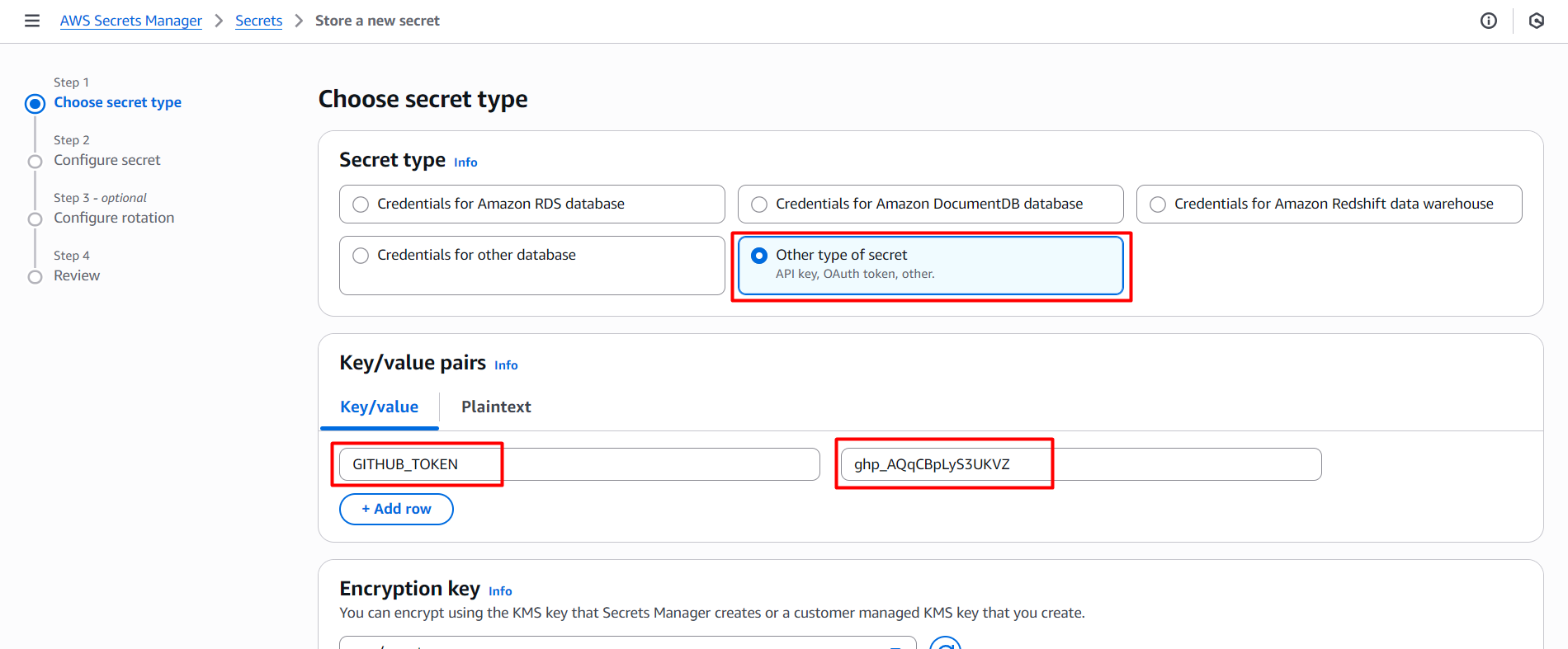
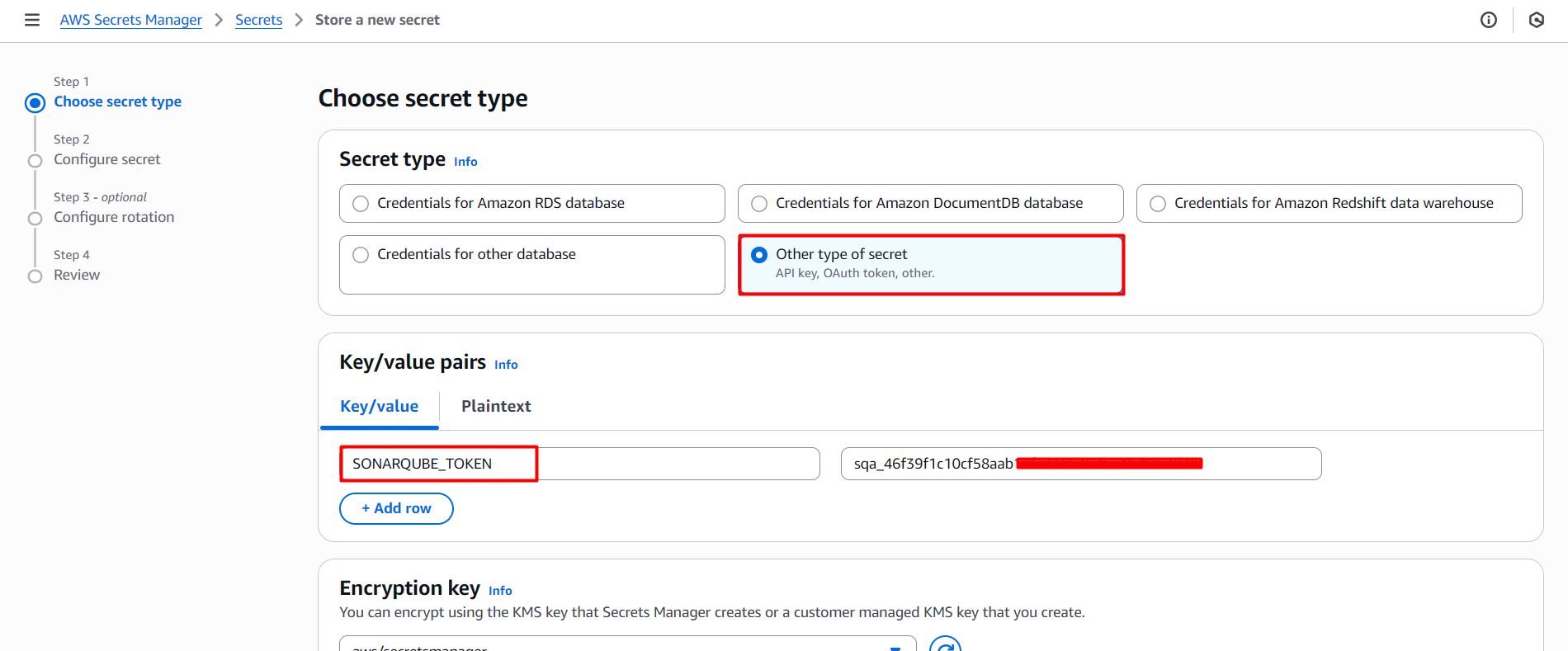
Select Secret type as Other type of secret and enter the name GITHUB_TOKEN and enter the Github token in Secret value.
Select Next to name and save the token to Secrets Manager.
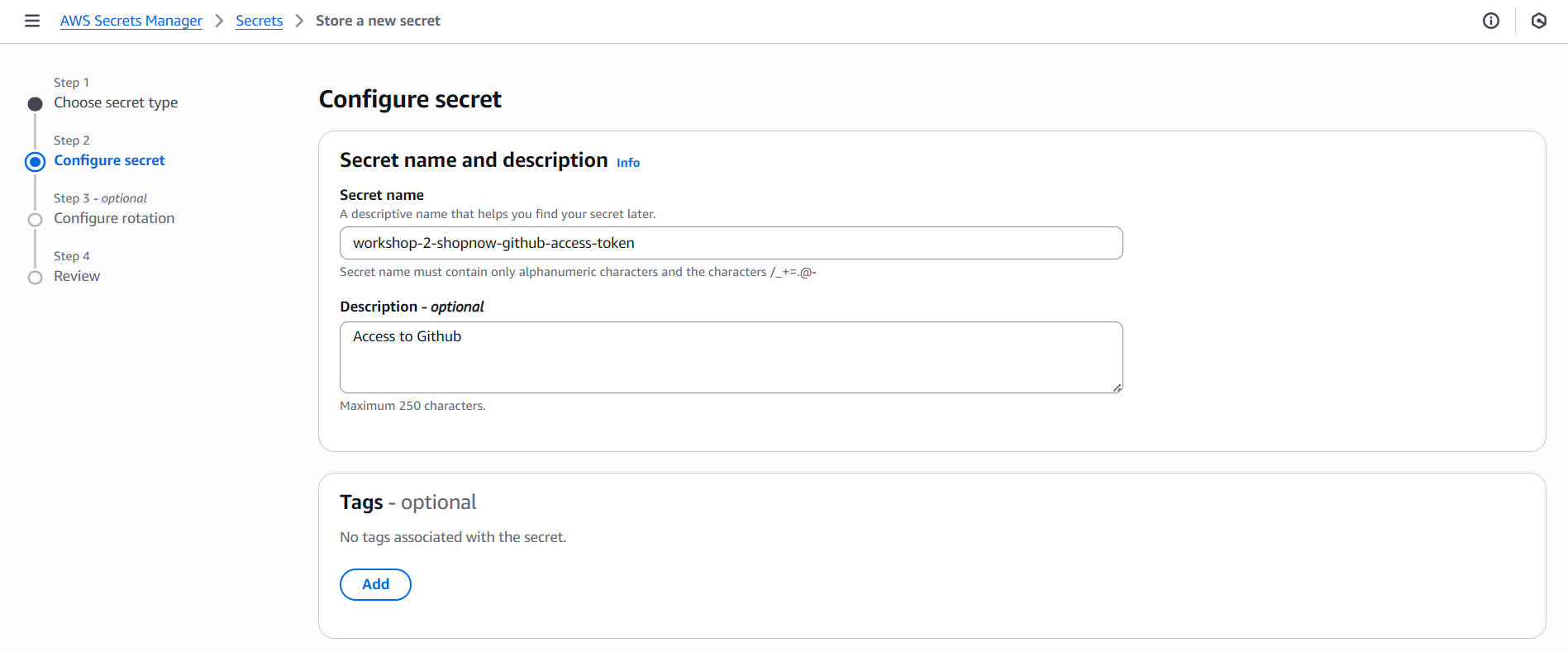

Thus, we have successfully saved the Github token to Secrets Manager.
SonarQube Secret Key
Access the SonarQube server using the domain you have deployed and proceed to create a new User.
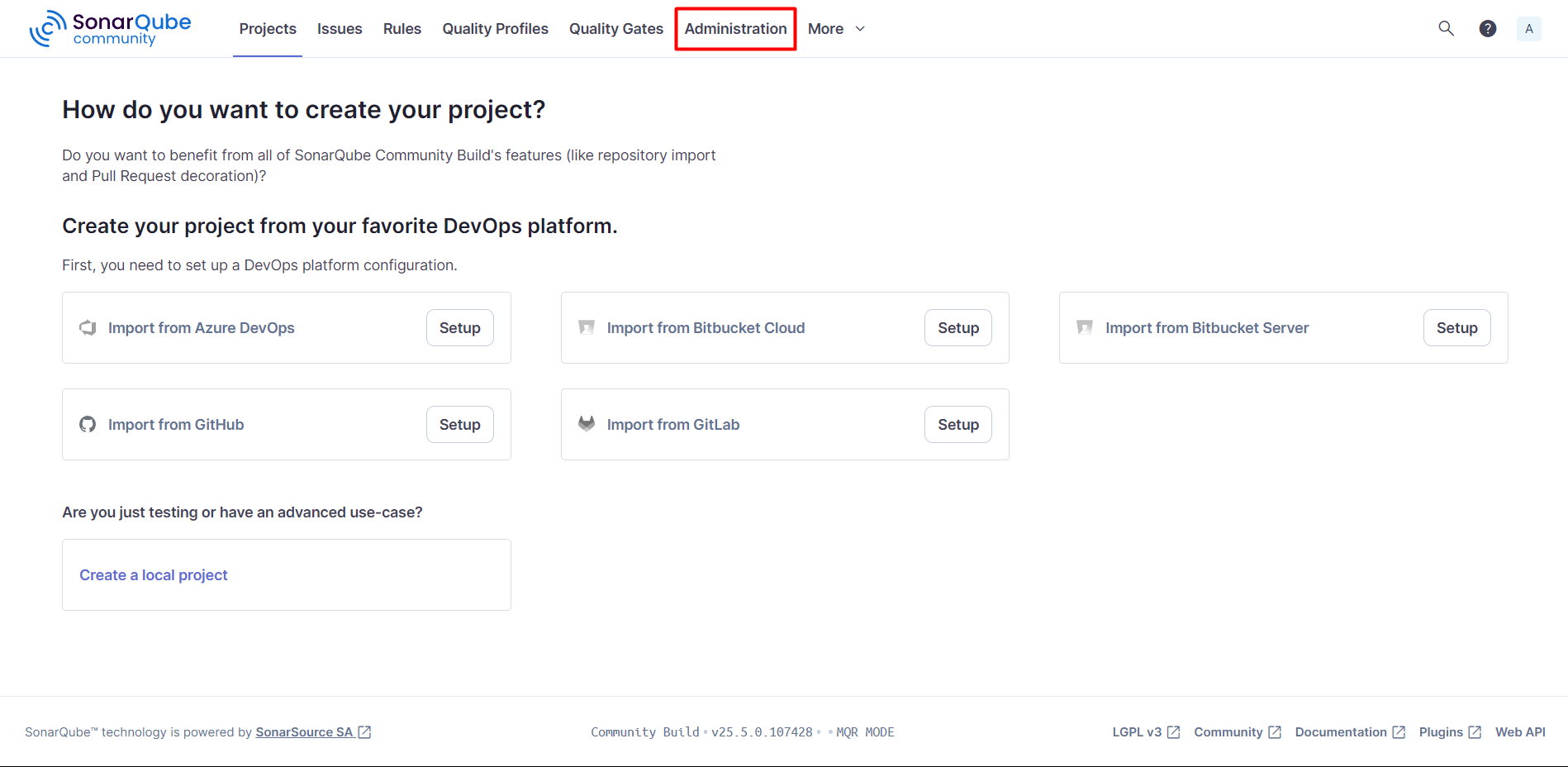
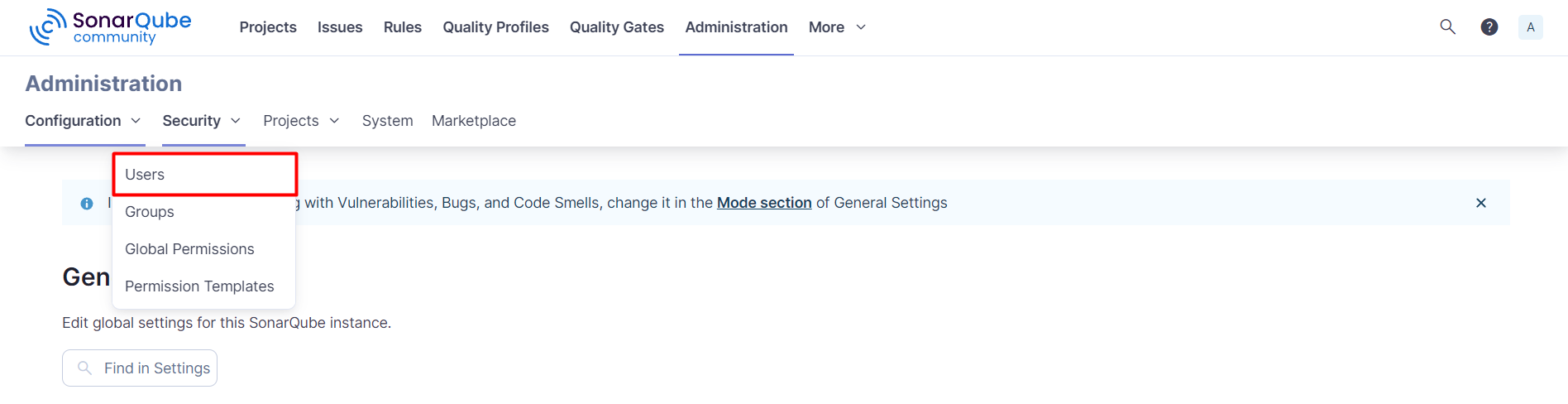
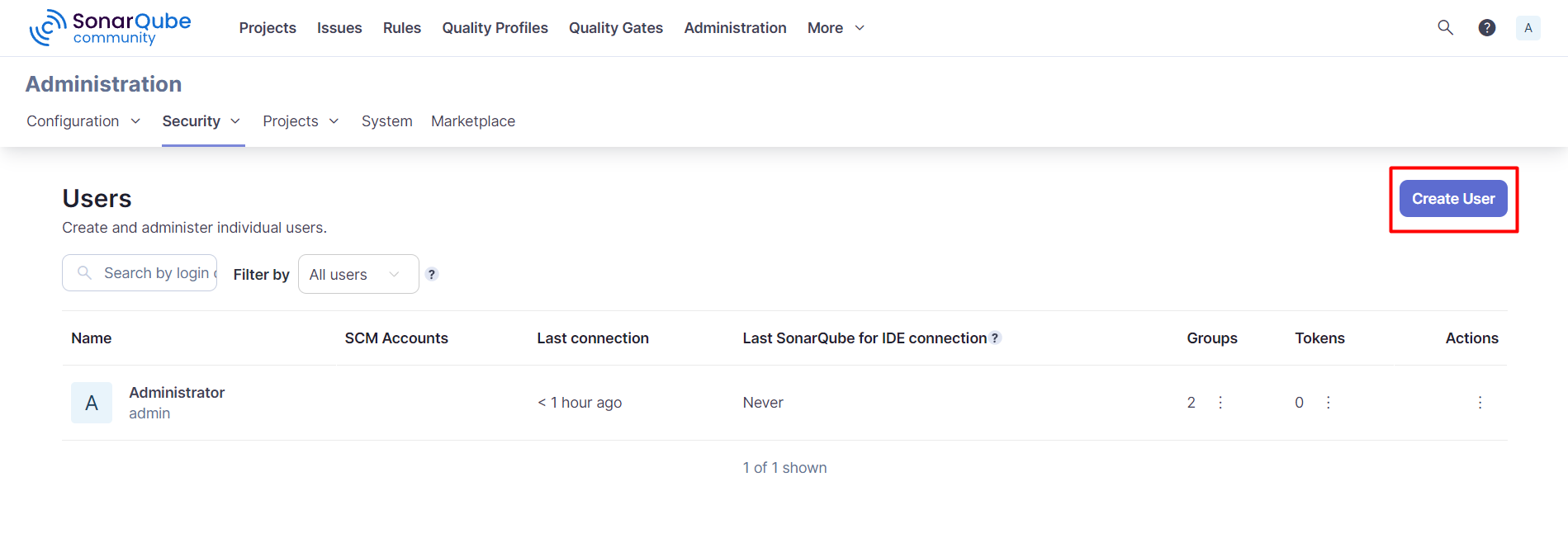
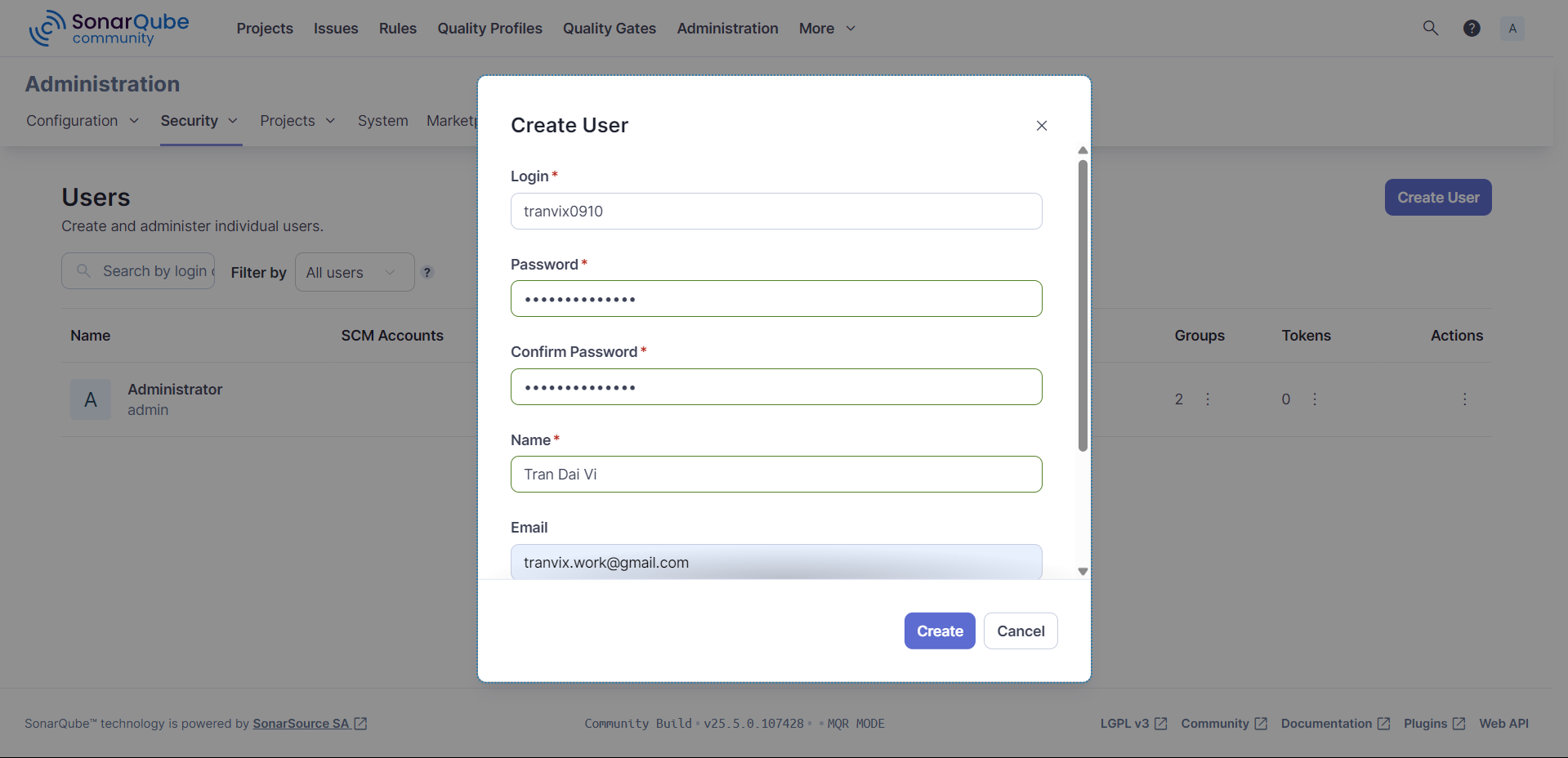
After creating a new User, we proceed to login and create a Token with the newly created User.
Access My Account -> Security -> Generate Tokens
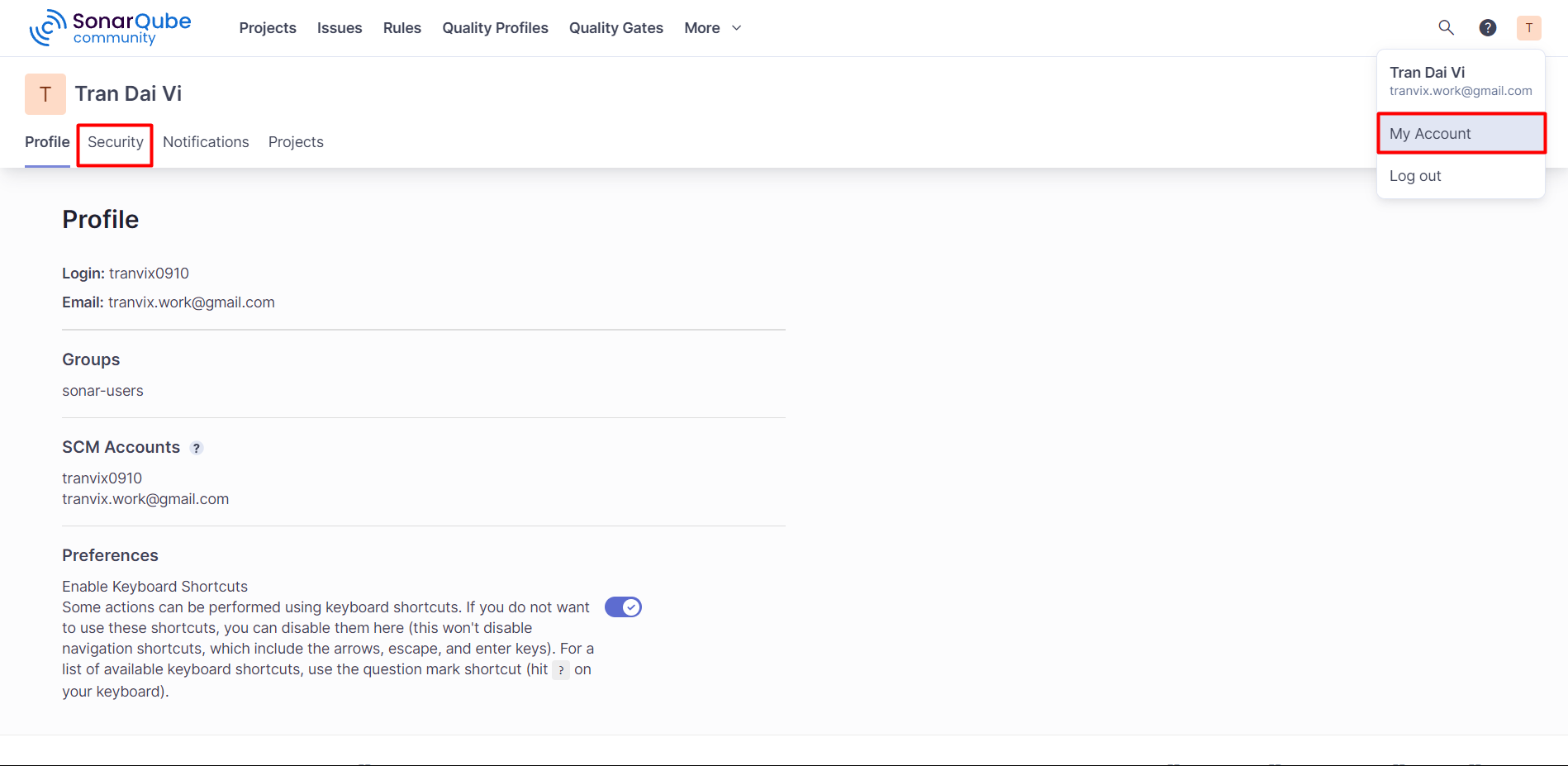
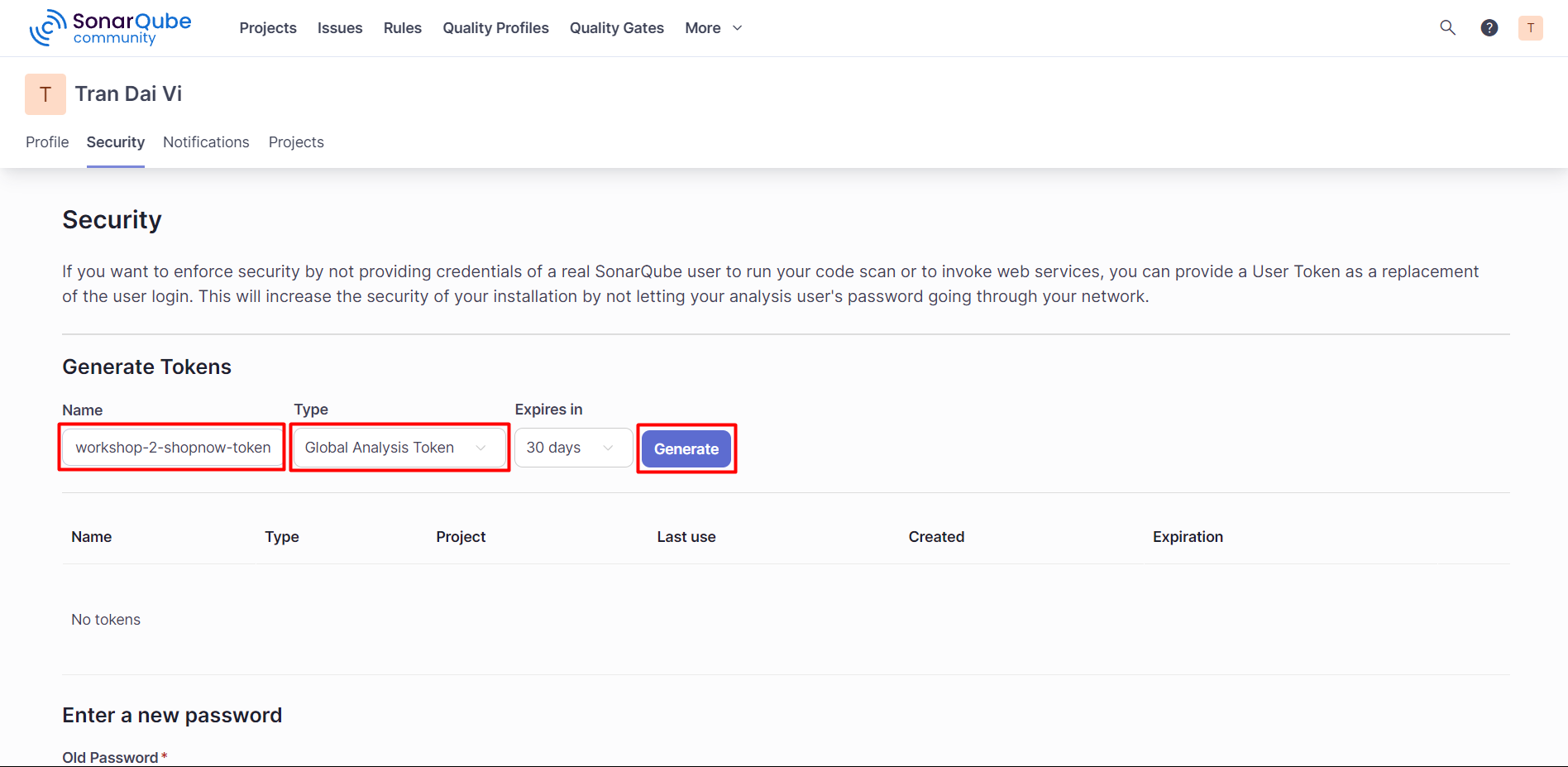
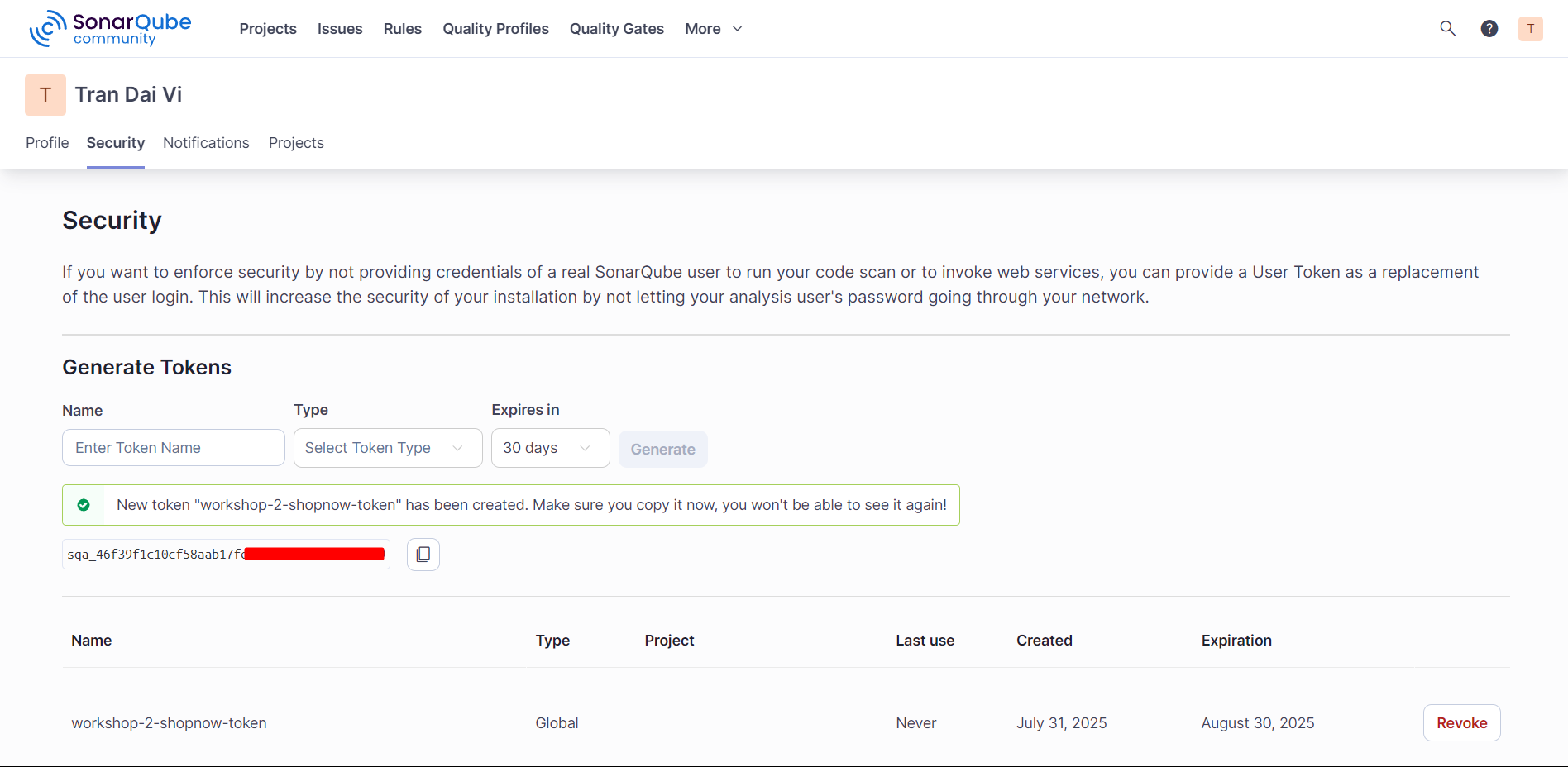
Proceed to create a new Token and save the Token.
Access AWS and find the Secrets Manager service and do the same as saving the Github Token.
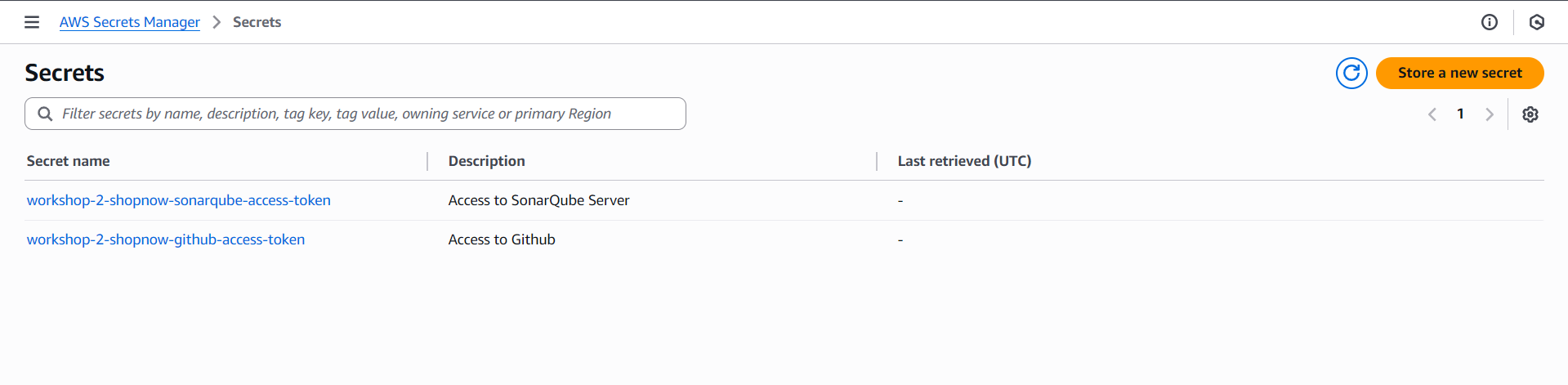
Thus, the Secret Keys have been created and saved to Secrets Manager.